When you start Conform for your organisation, a short setup walks you through the essentials. You can stop at any point and pick up where you left off.
Before you start
You'll need to know:
what kind of business you are (your business category);
your company name and home jurisdiction (the country whose rules you mainly work under);
which regulators or standards bodies (governing bodies) you answer to.
The setup steps
The setup page shows each step and whether it's done. The first unfinished step has a Set up button.
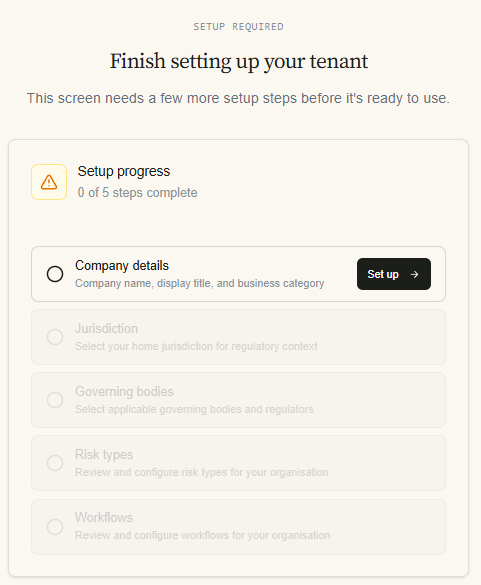
Business details. Choose your business category, enter your company details and jurisdiction, then confirm your governing bodies. Conform recommends governing bodies for your business category and ticks them for you; change them freely. Finishing this step creates your tenancy.
Risk types. Choose the kinds of risk that apply to you. Conform uses them to give you a ready-made set of assessment units and controls from its data pack for your business category.
Workflows. Pick a starting workflow for each feature (for example, a simple or a more detailed assessment workflow). Each one is created as a draft; see below.
Nothing can be started in a feature until its workflow is published. Until then you'll see a "workflow not published" notice on Home and on that feature's screens. Publishing is described in Design and publish a workflow.
Video of the process
After setup
Invite your team and give them roles.
Publish your workflows and give people their workflow roles.
Check your tenancy settings, especially the assessment cycle.
Have a look at your Risk Appetite. Most small firms keep the recommended default.